
Product Details
More
Ethernet Patch Cable – Superfast Connectivity for Seamless Networking
Imagine this: you're in the middle of an important video call, your screen freezes, and the dreaded buffering wheel appears. Sound familiar? Most people instantly blame their internet provider — but the real culprit is often something far simpler: a poor-quality or wrong Ethernet patch cable.
Whether you're setting up a home office, upgrading your gaming station, or managing a corporate network, the Ethernet patch cable is the unsung hero behind every fast and stable connection. In this guide, we break down everything you need to know — from what it is to how to pick the perfect one for your needs.
What Is an Ethernet Patch Cable?
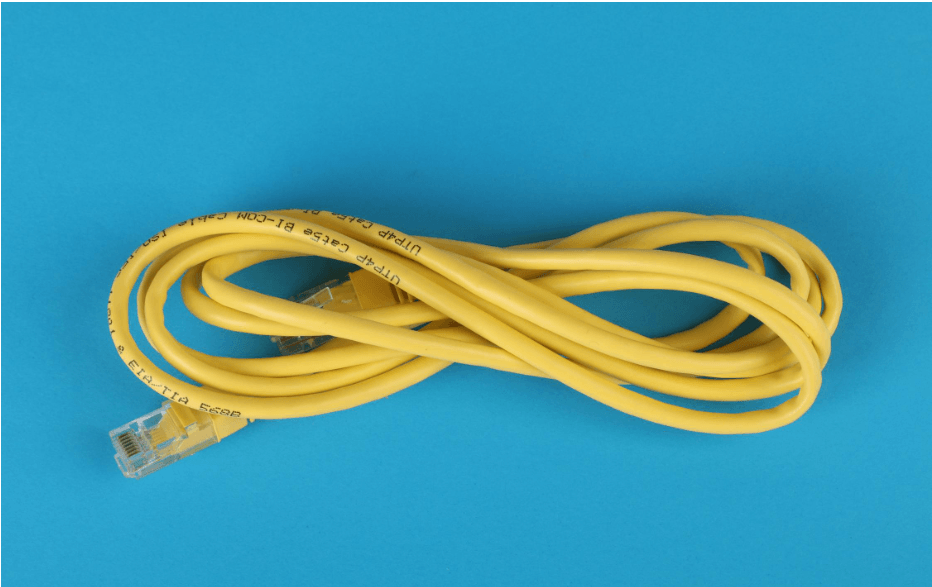
An Ethernet patch cable is a short-length networking cable used to connect devices — like computers, routers, switches, and modems — within a local area network (LAN). It typically uses RJ45 connectors on both ends and transmits data at high speeds over copper twisted-pair wiring.
Unlike long infrastructure cables hidden behind walls, patch cables are designed for easy plug-and-play connectivity between devices in close proximity.
How Does an Ethernet Patch Cable Work?
The cable carries electrical signals between two network devices. Inside, it contains 4 twisted pairs of copper wires that reduce electromagnetic interference (EMI) and cross-talk — ensuring your data travels cleanly and quickly from point A to point B.
Types of Ethernet Patch Cables
Not all patch cables are created equal. Here's a quick comparison of the most common types:
| Cable Type | Max Speed | Max Bandwidth | Best For |
|---|---|---|---|
| Cat5e | 1 Gbps | 100 MHz | Basic home/office use |
| Cat6 | 10 Gbps (up to 55m) | 250 MHz | Gaming, streaming, small business |
| Cat6a | 10 Gbps (up to 100m) | 500 MHz | Enterprise networks |
| Cat7 | 10 Gbps+ | 600 MHz | Data centers, heavy workloads |
| Cat8 | 25–40 Gbps | 2000 MHz | High-performance servers |
Shielded (STP) vs Unshielded (UTP) Patch Cables
Shielded (STP) Patch Cables
These cables have a foil or braided shield around the wires. They are ideal for environments with high electrical interference, such as factories, hospitals, or offices with lots of equipment.
Unshielded (UTP) Patch Cables
The most common type. They're affordable, flexible, and perfectly suited for homes and general office environments where interference is minimal.
Key Benefits of Using an Ethernet Patch Cable
Why choose a wired patch cable over Wi-Fi? Here are the top reasons:
- Blazing-Fast Speeds: Wired connections consistently deliver faster speeds than wireless — up to 10 Gbps with Cat6 or higher.
- Lower Latency: Ideal for gaming and video calls where even milliseconds matter.
- Reliable Signal: No interference from walls, microwaves, or neighboring Wi-Fi networks.
- Enhanced Security: Wired networks are harder to hack than wireless ones.
- Plug-and-Play Simplicity: No drivers, no passwords — just connect and go.
- Cost-Effective: High-quality patch cables are affordable and last for years.
Ethernet Patch Cable for Gaming – Why It's a Game Changer
Gamers know that a 1ms delay can mean the difference between winning and losing. An Ethernet patch cable — especially Cat6 or Cat6a — delivers the low ping, zero packet loss, and rock-solid stability that Wi-Fi simply cannot guarantee during peak hours.
Ethernet Patch Cable for Home Office – Stay Productive
Remote workers dealing with dropped Zoom calls or slow file uploads will immediately notice an improvement after switching to a wired patch cable connection. A Cat5e or Cat6 cable is more than enough for most home office setups.
How to Choose the Right Ethernet Patch Cable
Step-by-Step Buying Guide
Step 1 – Know Your Speed Requirements
For everyday browsing and streaming, Cat5e works fine. For gaming or 4K streaming, go with Cat6. For business servers or data-heavy environments, choose Cat6a or Cat7.
Step 2 – Measure the Cable Length You Need
Always measure the distance between your devices before buying. Patch cables range from 0.5 feet to 100 feet. Avoid excessively long cables as they can cause signal degradation.
Step 3 – Choose the Right Connector Type
Most modern patch cables use RJ45 connectors. Make sure your devices support RJ45 ports — almost all routers, switches, and computers do.
Step 4 – Shielded or Unshielded?
For home use, UTP (unshielded) is sufficient. For environments near heavy electrical equipment, invest in STP (shielded) cables.
Step 5 – Check Build Quality
Look for cables with gold-plated connectors, snagless boots, and a durable jacket. These features improve longevity and maintain signal quality.
Ethernet Cable Color Coding – Does It Matter?
Colors don't affect performance — they're used for organizational purposes. For example:
- Blue – General network use
- Yellow – Public or non-secured network
- Red – Critical infrastructure or uplink
- Green – Crossover or specific server connections
Quick Installation Tips for Ethernet Patch Cables
Do's and Don'ts
✅ Do's
- Route cables away from power lines to avoid interference.
- Use cable clips or ties to keep things organized.
- Label both ends of the cable for easy identification.
- Test the connection after plugging in using a cable tester or speed test tool.
❌ Don'ts
- Don't bend the cable at sharp angles — it damages the internal wires.
- Don't stretch the cable tightly — leave some slack.
- Don't use a cable that is too long unnecessarily — shorter is better for signal quality.
- Don't mix Cat5e with Cat6 components expecting Cat6 performance.
Frequently Asked Questions (FAQs)
Q1: What is the difference between a patch cable and an Ethernet cable?
Answer: A patch cable is a type of Ethernet cable, but it specifically refers to short cables used to connect devices within a network. Long Ethernet cables are typically used for permanent infrastructure runs inside walls or ceilings.
Q2: Is Cat6 better than Cat5e for home use?
Answer: Yes, Cat6 offers higher bandwidth (250 MHz vs 100 MHz) and better performance, especially in environments with multiple devices. However, Cat5e is perfectly adequate for basic internet browsing and streaming.
Q3: How long can an Ethernet patch cable be?
Answer: The maximum recommended length for a patch cable without signal loss is 100 meters (328 feet). For everyday home or office use, cables under 10 meters are most common.
Q4: Can I use an Ethernet patch cable for gaming?
Answer: Absolutely. In fact, it's highly recommended. A Cat6 Ethernet patch cable delivers lower latency, higher speeds, and more stable connections compared to Wi-Fi — all critical for competitive gaming.
Q5: Are expensive patch cables worth it?
Answer: You don't need to break the bank. A reasonably priced Cat6 patch cable from a reputable brand will deliver excellent performance. Focus on build quality — gold-plated connectors and a snagless design matter more than price.
Q6: What does RJ45 mean on a patch cable?
Answer: RJ45 stands for Registered Jack 45. It's the standard 8-pin connector used on Ethernet cables. Virtually all modern routers, computers, and switches use RJ45 ports.
Conclusion – Upgrade Your Network with the Right Ethernet Patch Cable
A quality Ethernet patch cable is one of the simplest and most affordable upgrades you can make to your home or office network. Whether you're a gamer chasing zero-lag performance, a remote worker needing rock-solid reliability, or an IT pro building a scalable network — the right patch cable makes all the difference.
Don't let a cheap or outdated cable hold back your internet speeds. Choose the right category — Cat5e, Cat6, or Cat6a — based on your needs, invest in build quality, and enjoy the benefits of superfast, stable connectivity every single day.
🚀 Ready to upgrade? Browse our top-rated Ethernet patch cables today and experience the difference a proper connection makes!